Analyzing Data with Power BI - Course DA-100T00-A Course in United States
- Hands-on training delivered by expert instructors
- Flexible learning options: classroom, online or blended
- Real-world scenarios and case studies
- Internationally recognised certification programme


This course will discuss the various methods and best practices that are in line with business and technical requirements for modeling, visualizing, and analyzing data with Power BI. The course will also show how to access and process data from a range of data sources including both relational and non-relational data. This course will also explore how to implement proper security standards and policies across the Power BI spectrum including datasets and groups. The course will also discuss how to manage and deploy reports and dashboards for sharing and content distribution. Finally, this course will show how to build paginated reports within the Power BI service and publish them to a workspace for inclusion within Power BI.
Online 1-on-1 Private (Bootcamp) for Analyzing Data with Power BI - Course DA-100T00-A Course
EXPRESS
TRANSFER
Analyzing Data with Power BI - Course DA-100T00-A Course
Analyzing Data with Power BI - Course DA-100T00-A Course
Analyzing Data with Power BI - Course DA-100T00-A Course
Analyzing Data with Power BI - Course DA-100T00-A Course
Analyzing Data with Power BI - Course DA-100T00-A Course
Analyzing Data with Power BI - Course DA-100T00-A Course
Analyzing Data with Power BI - Course DA-100T00-A Course
Analyzing Data with Power BI - Course DA-100T00-A Course
Analyzing Data with Power BI - Course DA-100T00-A Course
Analyzing Data with Power BI - Course DA-100T00-A Course
Analyzing Data with Power BI - Course DA-100T00-A Course
Analyzing Data with Power BI - Course DA-100T00-A Course
Analyzing Data with Power BI - Course DA-100T00-A Course
Analyzing Data with Power BI - Course DA-100T00-A Course
Analyzing Data with Power BI - Course DA-100T00-A Course
Analyzing Data with Power BI - Course DA-100T00-A Course
Analyzing Data with Power BI - Course DA-100T00-A Course
Analyzing Data with Power BI - Course DA-100T00-A Course
Analyzing Data with Power BI - Course DA-100T00-A Course
Analyzing Data with Power BI - Course DA-100T00-A Course
Analyzing Data with Power BI - Course DA-100T00-A Course
Analyzing Data with Power BI - Course DA-100T00-A Course
Schedule Specific Date
Are you looking for a SPECIFIC DATE for your "Analyzing Data with Power BI - Course DA-100T00-A Course" Training?
Who Should Attend
- Understanding core data concepts.
- Knowledge of working with relational data in the cloud.
- Knowledge of working with non-relational data in the cloud.
- Knowledge of data analysis and visualization concepts.
Course Content
Frequently Asked Questions
"Analyzing Data with Power BI - Course DA-100T00-A Course" trainings are given in ("Group - One to one") two different ways.
The one-to-one tuition fee is 1,580 $.
The total duration (day) of the One-to-One Analyzing Data with Power BI - Course DA-100T00-A Course program is 2.
Note: If you prefer to take this course onsite, the total duration will be 3, as required by the training vendor’s delivery standards.
We can also deliver this Analyzing Data with Power BI - Course DA-100T00-A Course in French, Arabic, and Spanish. If you require another language option, our Customer Success Managers will be happy to assist and guide you through availability and scheduling.
Yes, our certified and experienced trainers can deliver this program onsite at your location, and if required, in your preferred language. For customized delivery formats and pricing, please contact your Customer Success Manager.
If you prefer to take this course as a group (onsite), the total duration will be 3, as required by the training vendor’s delivery standards.
Official training materials (for Analyzing Data with Power BI - Course DA-100T00-A Course), instructor support, hands-on labs and practical exercises, and 1-month post-training Q&A support.
Exam & Certification
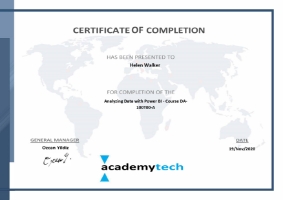
Participation Certificate
All trainees who participate in training will have an AcademyTech participation certificate.
Recommendations by our happy graduates.
Our Company is an Oil & Natural Gas Company in Libya, and our Microsoft Azure Courses given by AcademyTech at Istanbul. We are really glad for the Microsoft Azure Courses which is held at AcademyTech's venue named as Artois Cadde. Moreover the great courses, we have been hosted by the management team in Artois Restaurant at evenings with their tastefull cocktails and Pastas.

Salah Handr
Kerri Kincaid
Nick Ragan
JOSE GOSENDE
Fabricio Reyes
Bharat Khare

Jason Bradford